
Install Paperless-AI (Linux) – One-Liner Installer Script with Docker & Caddy HTTPS


Need professional Paperless-ngx hosting or installation? At WZ-IT we handle consulting, installation, support, operation, maintenance and monitoring of Paperless-ngx and Paperless-AI - on our infrastructure or yours. Schedule your free consultation: Book a meeting.
Paperless-AI is an AI extension for Paperless-ngx that automatically analyzes incoming documents and assigns appropriate tags. Whether using OpenAI, local models with Ollama, or Azure - Paperless-AI leverages LLMs to understand document contents.
We've created a free, open-source installer script that deploys Paperless-AI with Docker in minutes - with interactive configuration for all supported AI providers.
Table of Contents
- What You Get
- Prerequisites
- Option 1: Quick Install (One Command)
- Option 2: Review Before Installing (Recommended)
- Installation Walkthrough
- Post-Installation Setup
- Useful Commands
- Uninstallation
- Troubleshooting
- Source Code
What You Get
Our installer script provides:
- Automatic Docker installation - Docker and Docker Compose are installed if not present
- Interactive configuration - Choose your installation directory, domain, and Paperless-ngx connection
- Optional HTTPS - Caddy reverse proxy with automatic Let's Encrypt certificates
- Web interface - Configure directly in the browser after installation
- Production-ready setup - Sensible defaults for immediate use
Prerequisites
Before running the installer, ensure you have:
- A Linux server (Ubuntu, Debian, CentOS, RHEL, etc.)
bashandcurlinstalled (standard on most systems)sudoaccess for Docker installation- Running Paperless-ngx instance with API access
- For HTTPS: A domain name with DNS pointing to your server
Option 1: Quick Install (One Command)
If you trust the source, deploy Paperless-AI with a single command:
curl -fsSL https://raw.githubusercontent.com/wzitcom/public-scripts/main/open-source-apps/paperless-ai/install.sh | bash
Option 2: Review Before Installing (Recommended)
For security-conscious users, download and review the script first:
# Download the installer
curl -O https://raw.githubusercontent.com/wzitcom/public-scripts/main/open-source-apps/paperless-ai/install.sh

# Review the script contents
cat install.sh

# Make it executable and run
chmod +x install.sh
./install.sh
We always recommend reviewing scripts before execution, especially when running with elevated privileges.
Installation Walkthrough
When you run the installer, you'll see an interactive setup process:
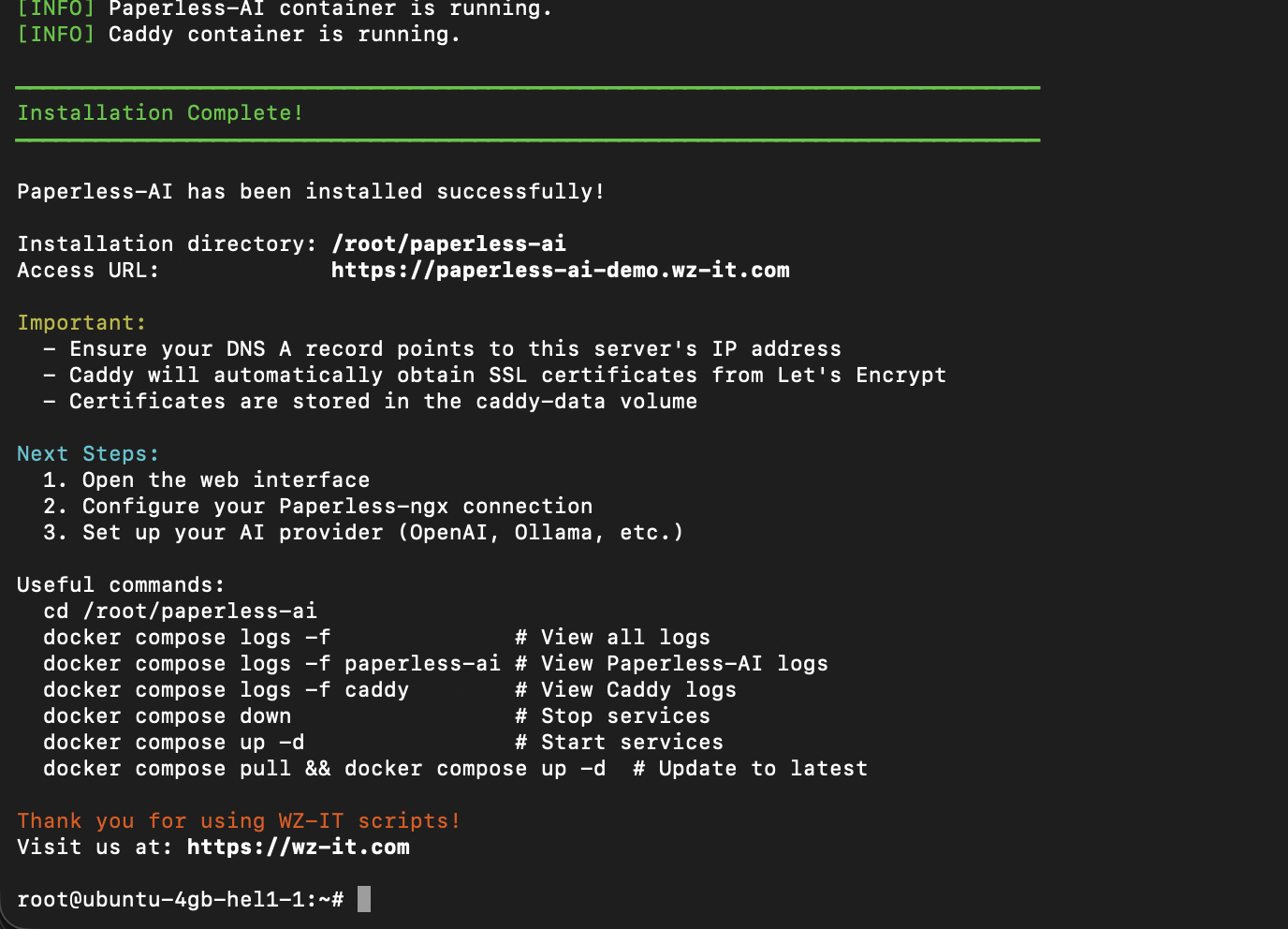
The script guides you through:
- Installation directory - Where to store configuration files (default:
~/paperless-ai) - Domain configuration - Optional domain for HTTPS setup
After configuration, the script:
- Installs Docker if needed
- Creates
docker-compose.ymlwith your settings - Sets up Caddy for HTTPS (if domain provided)
- Starts the container
- Displays access information
Post-Installation Setup
Once installation completes, Paperless-AI is ready to use:
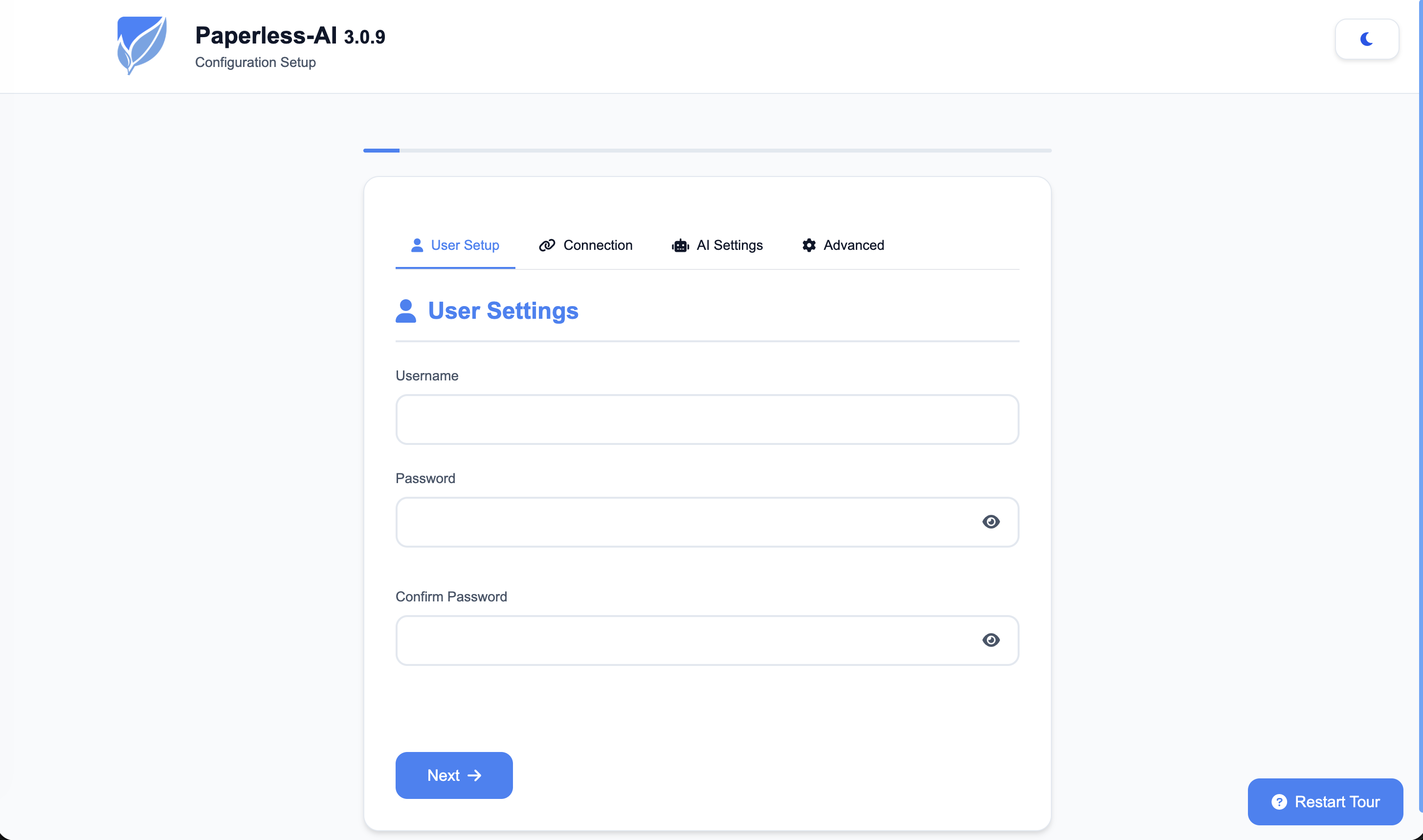
First Login
- Open the web interface (http://localhost:3000 or your domain)
- Configure your Paperless-ngx connection:
- Paperless-ngx URL
- API Token
- Set up your AI provider:
- OpenAI API Key, or
- Ollama connection, or
- Other supported providers
How It Works
- Paperless-AI connects to your Paperless-ngx instance
- New documents are automatically detected
- The AI analyzes document content
- Appropriate tags are automatically assigned
Installation Files
Your installation directory contains:
| File | Purpose |
|---|---|
docker-compose.yml |
Docker service definition |
.env |
Environment variables |
Caddyfile |
Caddy reverse proxy config (if using domain) |
Useful Commands
Navigate to your installation directory first:
cd ~/paperless-ai
Service Management
# View logs
docker compose logs -f
docker compose logs -f paperless-ai
docker compose logs -f caddy  # If using Caddy

# Stop services
docker compose down

# Start services
docker compose up -d

# Restart services
docker compose restart

# Check status
docker compose ps
Updates
# Pull latest images and restart
docker compose pull
docker compose up -d
Uninstallation
To completely remove Paperless-AI:
cd ~/paperless-ai

# Stop and remove containers
docker compose down

# Also remove volumes (WARNING: deletes all data!)
docker compose down -v

# Remove installation directory
cd ~
rm -rf ~/paperless-ai
Troubleshooting
Port Already in Use
If port 3000 (or 80/443 when using Caddy) is in use:
# Check what's using the ports
sudo lsof -i :3000
sudo lsof -i :80
sudo lsof -i :443
SSL Certificate Issues
# Check Caddy logs
docker compose logs caddy

# Verify DNS
nslookup your-domain.com
Connection to Paperless-ngx Fails
- Ensure Paperless-ngx is accessible from this server
- Check firewall rules between servers
- Verify the API token is correct
Container Won't Start
# Check container logs
docker compose logs paperless-ai

# Check container status
docker ps -a
Source Code
The installer script is open source and available on GitHub:
- Repository: github.com/wzitcom/public-scripts
- Paperless-AI Installer: open-source-apps/paperless-ai
Feel free to review, fork, or contribute!
Disclaimer
This script is intended for quickly deploying development and testing environments.
For production deployments, please consider:
- Proper security hardening
- Secure storage of API keys
- Firewall and network security rules
- Regular backup strategies
- Resource monitoring and alerting
- Custom environment configurations
Need a production-ready setup? Contact WZ-IT for professional Paperless-ngx and Paperless-AI installation and managed hosting services.
Frequently Asked Questions
Answers to important questions about this topic
Paperless-AI is an AI extension for Paperless-ngx that automatically analyzes and tags documents. It uses Large Language Models (OpenAI, Ollama, Azure) to understand document contents and assign appropriate tags.
The installer works on all major Linux distributions including Ubuntu, Debian, CentOS, RHEL, Rocky Linux, AlmaLinux, Fedora, and openSUSE. Any system with bash and curl that can run Docker is supported.
Yes. If Docker is not already installed on your system, the script will automatically install Docker and Docker Compose for you.
The installer supports OpenAI, Ollama (for local models), Azure OpenAI, and custom OpenAI-compatible endpoints.
Yes. Paperless-AI is an extension for Paperless-ngx and requires a running Paperless-ngx instance with API access.
Yes. The installer asks for your AI provider and configures the connection to your local Ollama instance if selected.
The installer creates a functional deployment quickly. For production environments, we recommend additional security hardening, proper backup strategies, and monitoring - which WZ-IT can provide as a managed service.
Absolutely. We recommend downloading the script first with curl -O and reviewing it before execution. The script is open source and available on GitHub.
Written by
Timo Wevelsiep
Co-Founder & CEO
Co-Founder of WZ-IT. Specialized in cloud infrastructure, open-source platforms and managed services for SMEs and enterprise clients worldwide.
LinkedInLet's Talk About Your Idea
Whether a specific IT challenge or just an idea – we look forward to the exchange. In a brief conversation, we'll evaluate together if and how your project fits with WZ-IT.
Trusted by leading companies













Timo Wevelsiep & Robin Zins
CEOs of WZ-IT