

Install Paperless AI yourself or use it as an operated solution?
WZ-IT handles Paperless-AI deployment, hardening and operations on existing infrastructure. For sensitive documents, AI Cube can provide the fully preconfigured local model platform inside your own network.
Implement Paperless AI · Explore AI Cube · Schedule an initial consultation
Note (as of October 2026): Paperless-AI has not been maintained since 31 March 2026 (notice in the README); the last release is v3.0.9 from 4 November 2025. Since version 3.0.0 from 22 July 2026, Paperless-ngx ships its own AI features. For new and production installations we recommend that route: Set up Paperless-ngx AI. This guide stays online for tests and existing Paperless-AI setups.
Paperless-AI is an AI extension for Paperless-ngx that automatically analyzes incoming documents and assigns appropriate tags. Whether using OpenAI, local models with Ollama, or Azure - Paperless-AI leverages LLMs to understand document contents.
We've created a free, open-source installer script that deploys Paperless-AI with Docker in minutes. The script only asks for the installation directory and an optional domain; the Paperless-ngx connection and AI provider are configured afterwards in the Paperless-AI web interface.
Table of Contents
- What You Get
- Prerequisites
- Option 1: Quick Install (One Command)
- Option 2: Review Before Installing (Recommended)
- Installation Walkthrough
- Post-Installation Setup
- Useful Commands
- Uninstallation
- Troubleshooting
- Source Code
What You Get
Our installer script provides:
- Automatic Docker installation - Docker and Docker Compose are installed if not present
- Short interactive prompt - Installation directory and optional domain
- Optional HTTPS - Caddy reverse proxy with automatic Let's Encrypt certificates
- Web interface - Configure directly in the browser after installation
- Test environment in minutes - Sensible defaults for evaluation and testing
Prerequisites
Before running the installer, ensure you have:
- A Linux server (Ubuntu, Debian, CentOS, RHEL, etc.)
bashandcurlinstalled (standard on most systems)sudoaccess for Docker installation- Running Paperless-ngx instance with API access
- For HTTPS: A domain name with DNS pointing to your server
Option 1: Quick Install (One Command)
If you trust the source, deploy Paperless-AI with a single command:
curl -fsSL https://raw.githubusercontent.com/wzitcom/public-scripts/main/open-source-apps/paperless-ai/install.sh | bash
Option 2: Review Before Installing (Recommended)
For security-conscious users, download and review the script first:
# Download the installer
curl -O https://raw.githubusercontent.com/wzitcom/public-scripts/main/open-source-apps/paperless-ai/install.sh

# Review the script contents
cat install.sh

# Make it executable and run
chmod +x install.sh
./install.sh
We always recommend reviewing scripts before execution, especially when running with elevated privileges.
Installation Walkthrough
When you run the installer, you'll see an interactive setup process:
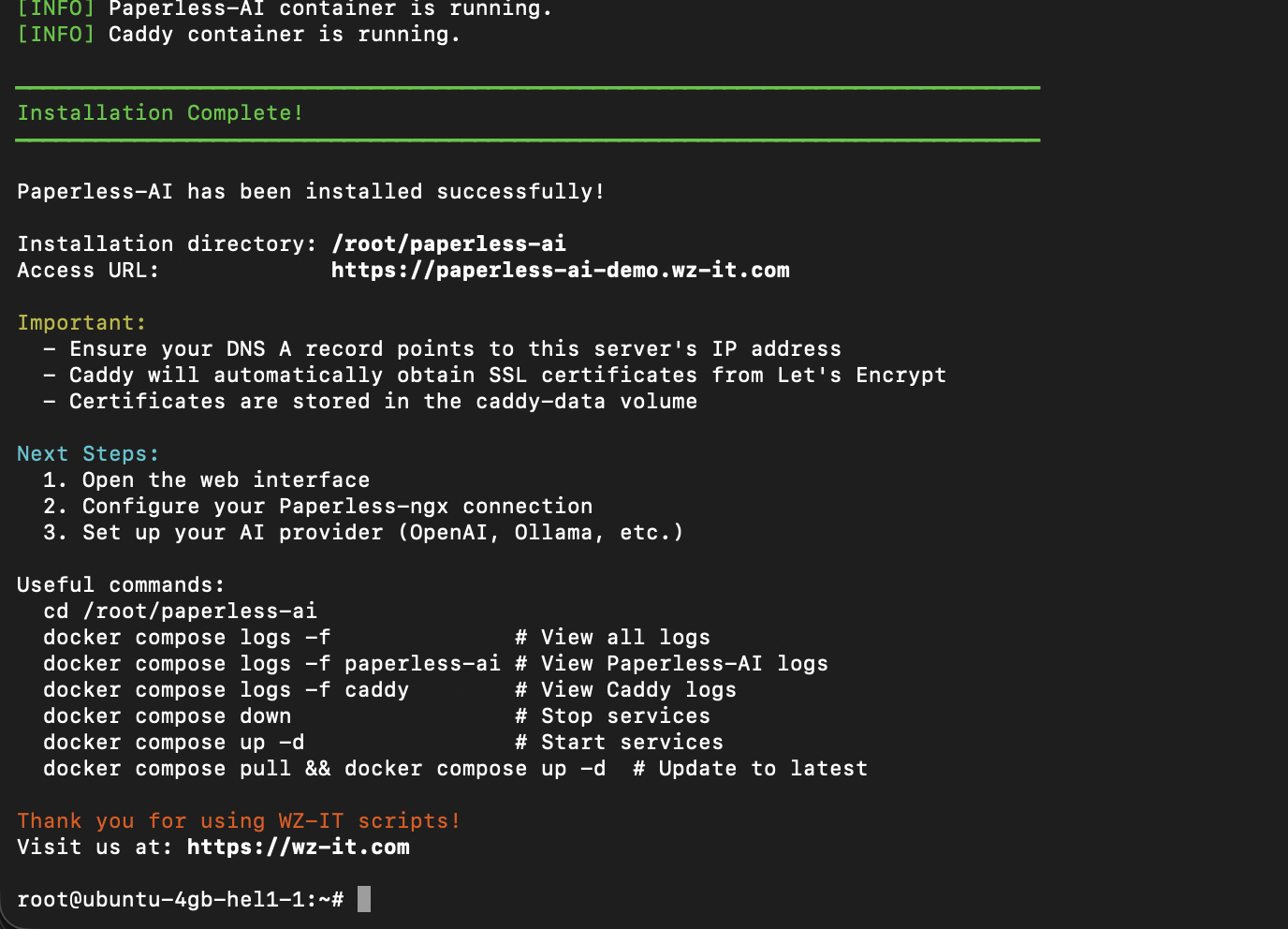
The script guides you through:
- Installation directory - Where to store configuration files (default:
~/paperless-ai) - Domain configuration - Optional domain for HTTPS setup
After configuration, the script:
- Installs Docker if needed
- Creates
docker-compose.ymlwith your settings - Sets up Caddy for HTTPS (if domain provided)
- Starts the container
- Prints the URL and next steps (the script does not generate credentials)
Post-Installation Setup
Once installation completes, the container is running and the initial setup happens in the browser:
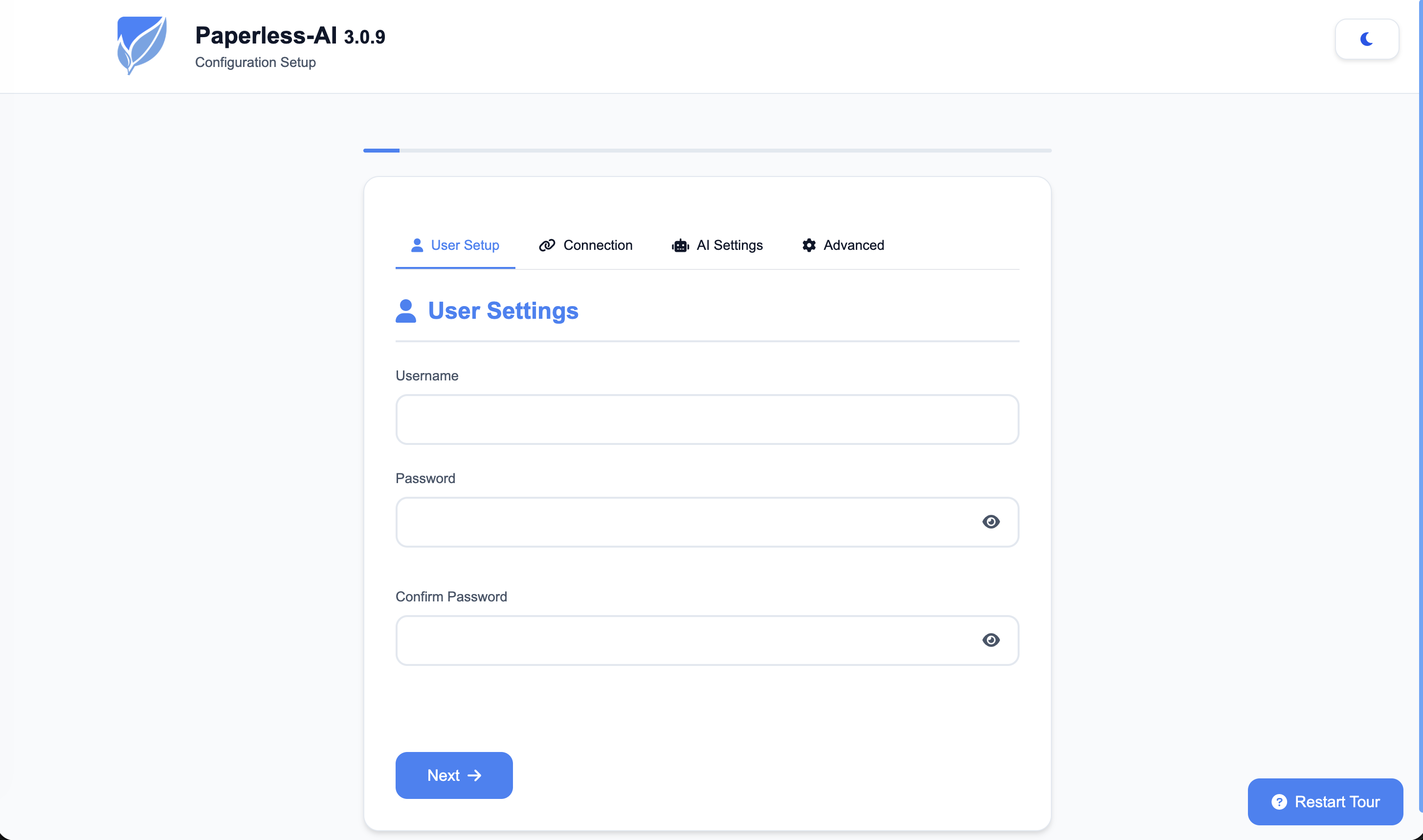
First Login
- Open the web interface (http://localhost:3000 or your domain)
- Configure your Paperless-ngx connection:
- Paperless-ngx URL
- API Token
- Set up your AI provider:
- OpenAI API Key, or
- Ollama connection, or
- Other supported providers
How It Works
- Paperless-AI connects to your Paperless-ngx instance
- New documents are automatically detected
- The AI analyzes document content
- Appropriate tags are automatically assigned
Installation Files
Your installation directory contains:
| File | Purpose |
|---|---|
docker-compose.yml |
Docker service definition |
.env |
Environment variables |
Caddyfile |
Caddy reverse proxy config (if using domain) |
Useful Commands
Navigate to your installation directory first:
cd ~/paperless-ai
Service Management
# View logs
docker compose logs -f
docker compose logs -f paperless-ai
docker compose logs -f caddy  # If using Caddy

# Stop services
docker compose down

# Start services
docker compose up -d

# Restart services
docker compose restart

# Check status
docker compose ps
Updates
# Pull latest images and restart
docker compose pull
docker compose up -d
Uninstallation
To completely remove Paperless-AI:
cd ~/paperless-ai

# Stop and remove containers
docker compose down

# Also remove volumes (WARNING: deletes all data!)
docker compose down -v

# Remove installation directory
cd ~
rm -rf ~/paperless-ai
Troubleshooting
Port Already in Use
If port 3000 (or 80/443 when using Caddy) is in use:
# Check what's using the ports
sudo lsof -i :3000
sudo lsof -i :80
sudo lsof -i :443
SSL Certificate Issues
# Check Caddy logs
docker compose logs caddy

# Verify DNS
nslookup your-domain.com
Connection to Paperless-ngx Fails
- Ensure Paperless-ngx is accessible from this server
- Check firewall rules between servers
- Verify the API token is correct
Container Won't Start
# Check container logs
docker compose logs paperless-ai

# Check container status
docker ps -a
Source Code
The installer script is open source and available on GitHub:
- Repository: github.com/wzitcom/public-scripts
- Paperless-AI Installer: open-source-apps/paperless-ai
Feel free to review, fork, or contribute!
Disclaimer
This script is intended for quickly deploying development and testing environments. Because Paperless-AI has not been maintained since 31 March 2026, we recommend the native Paperless-ngx AI for production.
For any production deployment, please consider:
- Proper security hardening
- Secure storage of API keys
- Firewall and network security rules
- Regular backup strategies
- Resource monitoring and alerting
- Custom environment configurations
Need a production-ready setup? Contact WZ-IT for professional Paperless-ngx installation with AI integration and managed hosting services.























