

Select, migrate and operate Docmost? WZ-IT assesses the right edition, configures the platform and can handle hardening, updates, backups and ongoing operations.
Docmost hosting and pricing · Run locally on an App Node · Managed open-source portfolio
Introduction
Docmost is a modern, open-source wiki and documentation platform, often mentioned as a self-hosted alternative to Confluence or Notion. It is available in two variants: the Community Edition and the Enterprise Edition. The Community Edition is free under an open-source license (AGPL 3.0), while the Enterprise Edition is a paid variant with extended functionality for enterprise customers.
Update October 2026: Docmost now offers the self-managed Business tier between Community and Enterprise. It costs USD 6 per user per month billed annually, with a minimum of 10 users (Docmost pricing). SSO with SAML 2.0, OIDC and LDAP, MFA, page permissions, Confluence and DOCX import, API keys, resolving comments, the AI features and attachment search are already included from Business. Docmost lists air-gapped operation for the Community Edition as well. Only Enterprise adds SCIM, audit logs, SIEM integration and a page review workflow. Where this article describes these features as Enterprise features, they therefore already apply from Business. What the Confluence import migrates and which deadlines run for Confluence Data Center is covered in the guide Confluence Data Center end of life: migrating to an open-source wiki.
For IT decision-makers, the question arises which edition fits their needs. This article highlights the differences between Community and Enterprise Edition – explained clearly but with the necessary technical details.
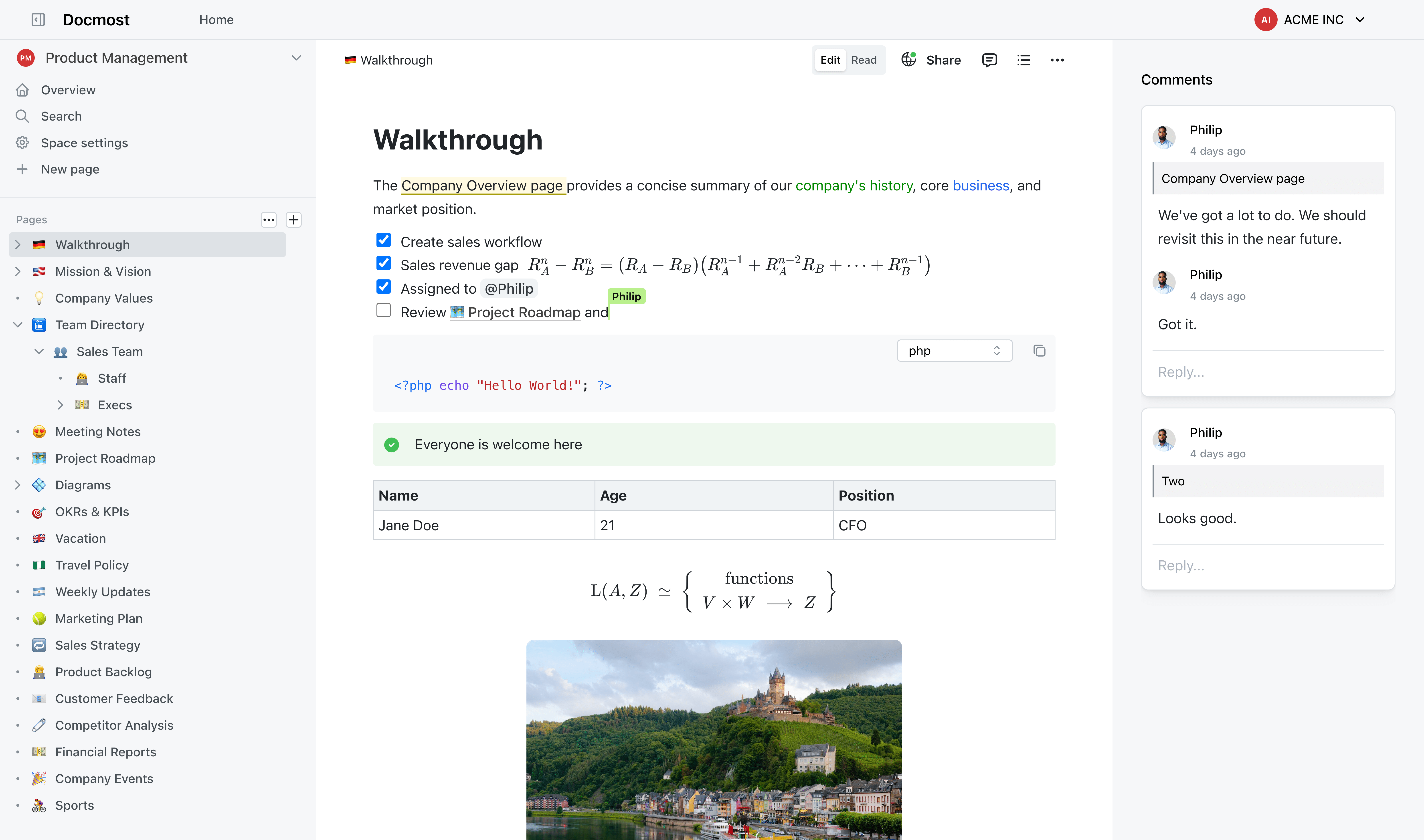
Table of Contents
- Introduction
- Feature Scope: Core Functions vs. Enterprise Features
- Security and Compliance
- External System Integrations
- Support and Hosting
- API and Automation Functions
- Comparison Table
- Typical Use Cases
- Conclusion
- Alternatives to Docmost
Feature Scope: Core Functions vs. Enterprise Features
The Docmost Community Edition already includes all core features that teams need for an internal wiki:
- Real-time collaboration – simultaneous editing of pages
- Spaces for organizing content
- Groups and permission management (RBAC) for access control
- Inline comments and version history
- Diagram support with Draw.io, Mermaid, and Excalidraw
- Import from Markdown/HTML and Notion pages
These basic functions are fully included and allow small teams to collaborate effectively.
Enterprise-Exclusive Features
The Enterprise Edition extends the feature scope with the following premium features:
Single Sign-On (SSO) and Extended Authentication
From the Business tier (as of October 2026), Docmost integrates with existing identity solutions:
- SAML 2.0 and OpenID Connect (OIDC)
- LDAP connection to Active Directory
- Multi-factor authentication (MFA) via TOTP
Employees can log in via Azure AD, Okta, OneLogin, or other identity providers. The Community Edition only offers classic email/password authentication.
Full-Text Search in File Attachments
From the Business tier, users can also search file attachments such as PDF and DOCX documents. This feature indexes attachments so that search terms in attached files can be found. The Community Edition only searches wiki page content.
Confluence Importer
An import tool for Atlassian Confluence is available from the Business tier (as of October 2026). It imports the HTML export of a Confluence space with page tree, formatting, internal links, images, attachments and draw.io diagrams (Docmost, import and export). Docmost does not list page history, permissions or users as migrated.
AI-Powered Answers
The "AI Answers" feature enables answering user questions using AI directly from the knowledge base. A user can enter a question and the system generates an answer based on the wiki content.
Additional Enterprise Features
- Resolve comments – mark discussions as completed
- Remove Docmost branding on public pages
- API keys and API usage for automations
- High availability with multiple nodes
Docmost now lists air-gapped operation without internet access for all editions, including the Community Edition (Docmost pricing, as of October 2026).
Security and Compliance
Basic Security (Community Edition)
As a self-hosted platform, Docmost already enables complete data sovereignty in the Community Edition: All data remains on your own servers, which is important for GDPR and internal policies.
Extended Security (Enterprise Edition)
The Enterprise Edition specifically addresses the needs of companies with high compliance requirements:
- Centralized authentication: Through SSO and LDAP integration, existing security policies can be applied to Docmost
- Enforced MFA: Multi-factor authentication can be made mandatory for all users
- Audit Logs: Logging of relevant user actions for compliance requirements, plus SIEM integration and SCIM provisioning (Enterprise only, as of October 2026)
- Air-gap capability: Operation in isolated environments without internet connection (government or military networks); according to Docmost possible in all editions
The Enterprise Edition thus meets requirements for ISO 27001, ITAR, FedRAMP, and strict GDPR data retention.
External System Integrations
Community Edition
- Embedding of diagrams (Draw.io, Mermaid, Excalidraw)
- Import from Markdown, HTML, and Notion
- Local user accounts (email/password)
Enterprise Edition
The biggest integration differences concern authentication:
| Integration | Community | Enterprise |
|---|---|---|
| SSO via SAML/OIDC | ❌ | ✅ |
| LDAP/Active Directory | ❌ | ✅ |
| Azure AD, Okta, OneLogin | ❌ | ✅ |
| Confluence Import | ❌ | ✅ |
| REST/JSON-RPC API | ❌ | ✅ |
As of October 2026, SSO via SAML and OIDC, LDAP, API keys and the Confluence import are already included in the Business tier (Docmost pricing).
Through LDAP integration, users can be automatically provisioned and groups synchronized. The permission structure from the directory is directly mapped in Docmost.
Support and Hosting
Community Edition
- Community support: Documentation, forums, GitHub issues
- Self-responsibility: Updates, maintenance, and backups in your own hands
- No guaranteed response times
Enterprise Edition
- Vendor support via email included
- Service Level Agreements (SLAs) with guaranteed response times
- Priority for bug fixes and updates
Docmost Cloud (Managed Hosting by the Vendor)
Docmost itself offers a cloud variant as managed hosting. The Docmost team handles the complete operation – companies don't need to worry about servers, updates, or backups. This option is available directly via docmost.com.
Managed Hosting at WZ-IT
Independent of the Docmost Cloud offering, WZ-IT offers managed hosting for both editions – for both the Community and the Enterprise Edition. We operate Docmost on our own infrastructure in German data centers:
- Installation and configuration of both editions
- 24/7 monitoring and regular backups
- Updates and high-availability architecture
- Operation in ISO 27001 and BSI C5 certified German data centers
- Personal support in emergencies
- Full data control – no dependency on third-party providers
The advantage: At WZ-IT, companies that want to use the free Community Edition can also benefit from professional managed service – without Enterprise license costs.
👉 Learn more: WZ-IT Docmost Expertise
API and Automation Functions
Community Edition
The open-source version provides no documented API for external applications. Integrations require unconventional approaches such as direct database access.
Enterprise Edition
The Enterprise Edition includes an official JSON-RPC API:
- Create and manage API keys
- All core functions covered (pages, users, groups)
- Integration into CI/CD pipelines and third-party applications
- Automated imports/exports and notifications
Example use cases:
- Chatbot interface for questions from the knowledge base
- Automatic wiki pages on software releases
- Integration with intranet portals
Comparison Table
| Aspect | Community Edition | Enterprise Edition |
|---|---|---|
| Cost | Free (AGPL 3.0) | Paid license; the Business tier costs USD 6 per user per month, min. 10 users (as of October 2026) |
| Authentication | Email/Password | SSO, SAML, OIDC, LDAP, MFA |
| Collaboration | Real-time editing, comments, versions | + Resolve comments |
| Search | Full-text search in pages | + Search in PDF/DOCX attachments, AI Answers |
| Import | Markdown, HTML, Notion | + Confluence import |
| API | No official API | REST/JSON-RPC API with API keys |
| Security | Self-hosting, data control, air-gapped | + MFA (from Business), audit logs, SIEM, SCIM (Enterprise only) |
| Support | Community support | Vendor support, SLAs |
| Hosting | Self-managed or Managed (e.g. WZ-IT) | Docmost Cloud or Managed (e.g. WZ-IT) |
| Branding | Docmost branding | Branding removable |
Typical Use Cases
Community Edition is suitable for:
- Small teams and startups with limited budget
- Teams without complex IT integration
- Evaluation of Docmost before Enterprise upgrade
- Projects and communities that want to quickly set up a wiki
Enterprise Edition is suitable for:
- Medium to large enterprises with hundreds of users
- Organizations with existing AD/LDAP directory
- Companies with compliance requirements (ISO 27001, GDPR)
- Migration from Confluence with existing knowledge base
- Teams that need API automations
- Critical infrastructures with SLA requirements
Upgrade Path
Both editions are technically based on the same core. A migration path is straightforward – Enterprise features are unlocked via license, the database can continue to be used.
Still unsure which tool fits? In the wiki selection you try all candidates as demo instances and receive a decision paper with license costs and migration path. From €3,900 excl. VAT, credited against the rollout.
Conclusion
Docmost Community Edition provides the full core functionality for knowledge management and is suitable for self-managed use in smaller settings.
Docmost Enterprise Edition extends this with business-critical features – from SSO to extended search to support – and is optimal for large enterprises looking for a scalable, secure, and supported wiki solution.
The decision depends on specific requirements:
- SSO/LDAP integration needed? → Business or Enterprise
- Confluence migration planned? → Business or Enterprise
- Compliance requirements (audit logs, MFA)? → Enterprise
- Limited budget, small team? → Community
WZ-IT supports you with both variants – from consulting to installation to fully managed operation.
📅 Free initial consultation: Schedule appointment 📧 Email: [email protected]
Alternatives to Docmost
If Docmost is not the right solution for your requirements, we recommend looking at these alternatives:
-
BookStack – Simple, structured wiki with books-chapters-pages model. Ideal for teams that prefer an intuitive interface. More in the comparison BookStack vs. Confluence
-
Wiki.js – Developer-friendly wiki with Git integration and Markdown focus.
We offer all three solutions as Managed Service.
Next step
Run knowledge management on your own terms?
An open-source alternative instead of pricey Confluence licenses - migrated, hosted and maintained by us. Your data stays in the EU.
Read next: BookStack vs Confluence · Open-source Confluence alternatives · Docmost CE vs EE























