

Set up Paperless and AI around your documents?
WZ-IT assesses whether Paperless-ngx's native AI integration or Paperless-AI fits the existing environment and handles deployment, hardening and operations. For sensitive documents, AI Cube can provide the local model platform inside your own network.
Implement Paperless AI · Explore AI Cube · Schedule an initial consultation
Paperless-AI is an AI-powered extension for Paperless-NGX that takes your document management to the next level. With automatic document classification, intelligent tagging, and semantic search, you can manage your documents even more efficiently. In this guide, we'll show you how to add Paperless-AI to your existing Paperless-NGX installation.
Prerequisite: This guide assumes you already have Paperless-NGX installed. If not, first follow our Paperless-NGX installation guide.
Faster with our installer script! We've created a free one-liner installer script for Paperless-AI: Paperless-AI Installer Script - Installation with a single command including automatic Docker setup and optional HTTPS via Caddy.
As of October 2026: please read this first
Two things have changed since this post was published.
Paperless-ngx now ships AI itself. The configuration knows
PAPERLESS_AI_ENABLED,PAPERLESS_AI_LLM_BACKENDandPAPERLESS_AI_LLM_EMBEDDING_BACKEND- including Ollama as a local backend, chat with documents and similarity search. If you are starting fresh, check the native integration first; for many use cases you will not need an additional project. Setup with Ollama and the migration path are covered in the guide Paperless-ngx AI setup.The Paperless-AI project has been unmaintained since 31 March 2026. The maintainer writes in the repository: "This repo is currently not maintained" - he is working on a rewrite but explicitly leaves open whether he will finish it or keep the project going, partly because of that native integration. The last release is v3.0.9 from 4 November 2025.
The guide below still works. For new production installations we recommend the native Paperless-ngx AI, which has been maintained with the main project since version 3.0.0 from 22 July 2026. If you keep using Paperless-AI, you should know its maintenance status - and if you want to weigh up what makes more sense in your case: let's talk.
Table of Contents
- Features of Paperless-AI
- Requirements
- Installation
- Set up HTTPS with Caddy
- Initial Configuration
- Restart container (important!)
- Usage
- Operation Tips
- Troubleshooting
- Conclusion
Features of Paperless-AI
Paperless-AI extends Paperless-NGX with impressive AI capabilities:
Automatic Document Processing
- Automatically detects new documents
- Analyzes content using AI models
- Automatically assigns title, tags, document type, and correspondent
RAG-Based AI Chat
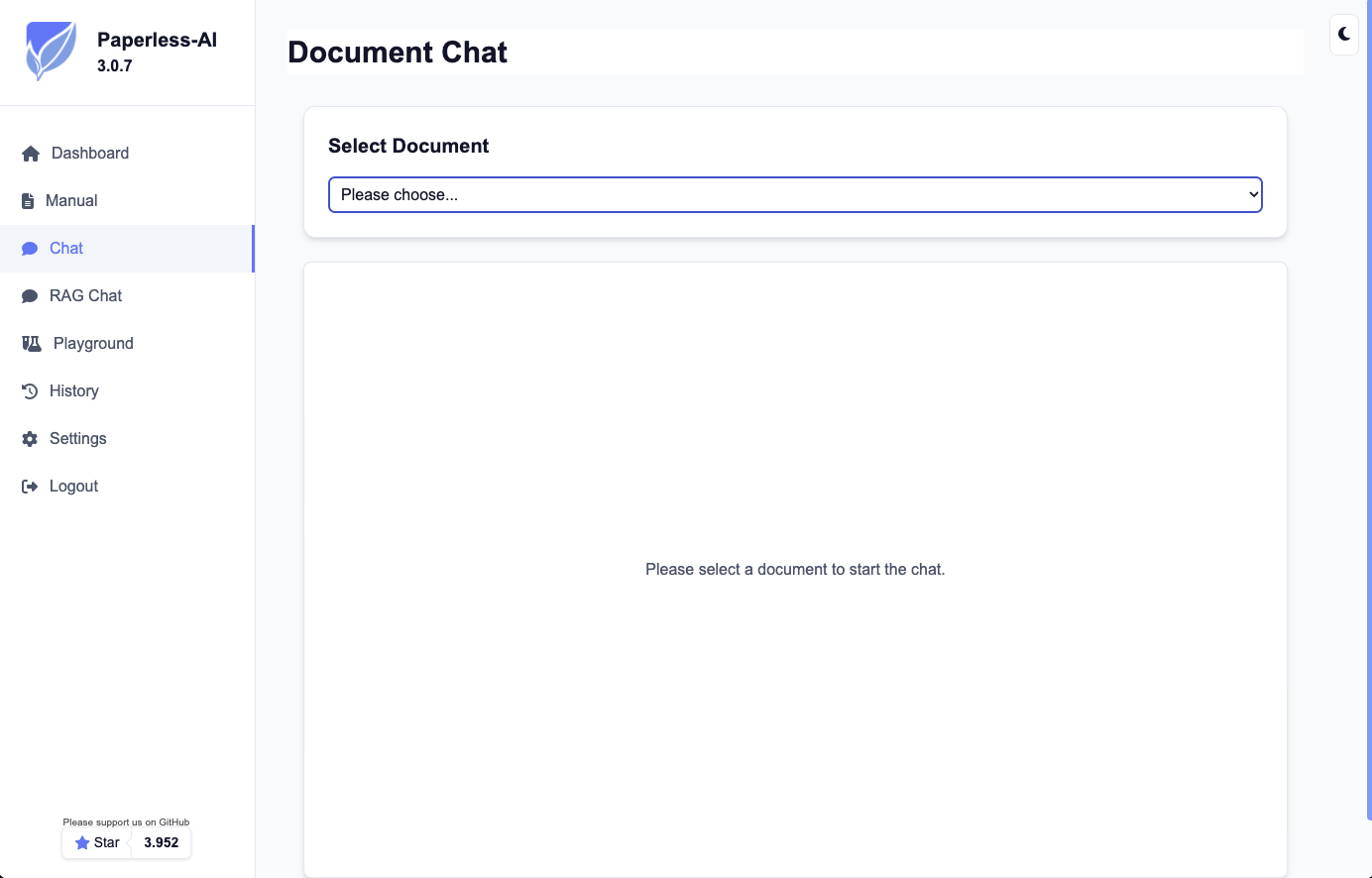
Ask natural language questions about your documents in the Paperless-AI web interface:
- "When did I sign my rental agreement?"
- "What was the amount of the last electricity bill?"
- "Which documents mention my health insurance?"
Flexible Configuration
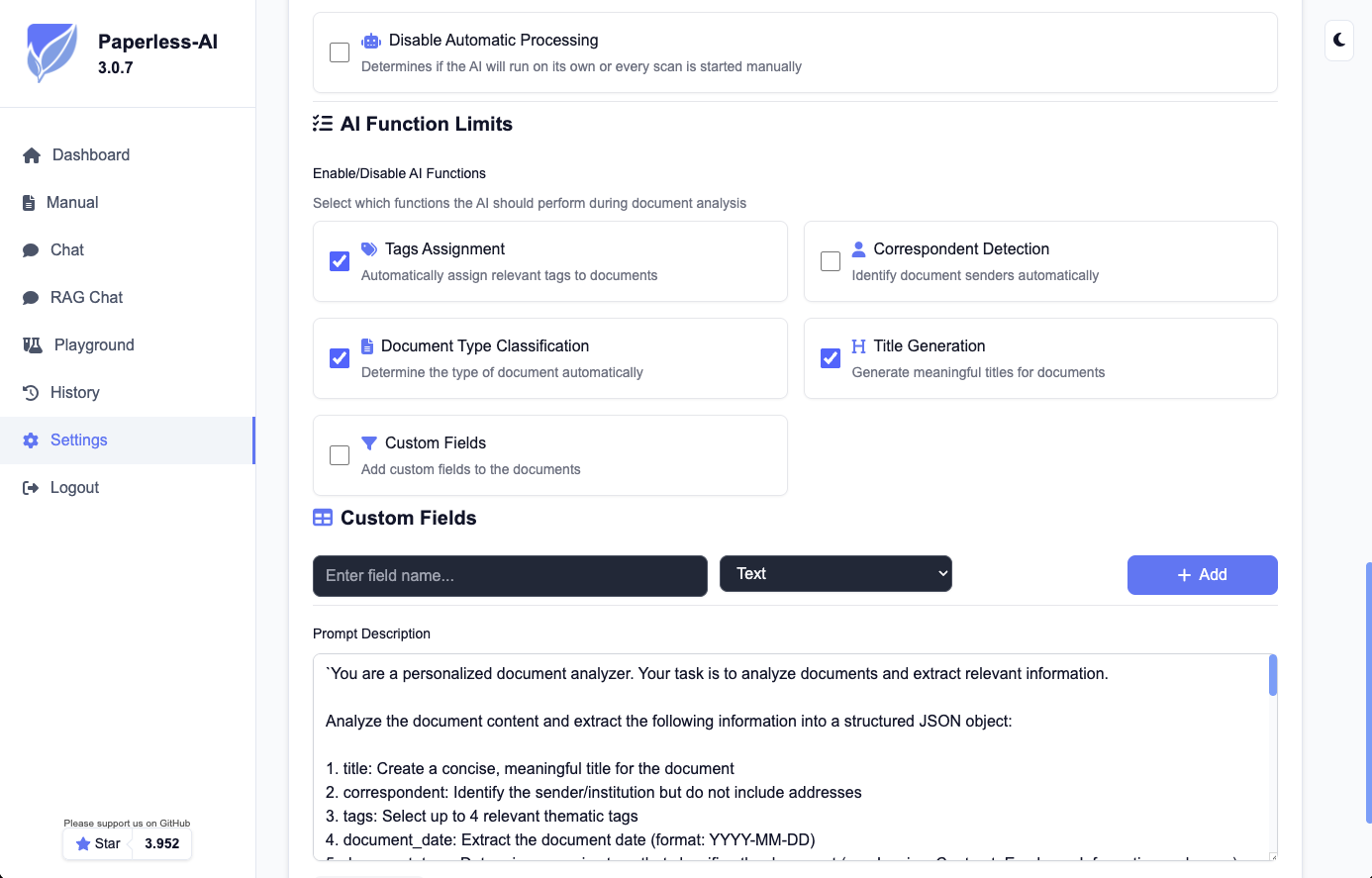
- Enable only the features you want
- Define rules for document processing
- Supports various AI models
Paperless without the setup and maintenance hassle?
Installation is just the start - updates, backups, SSL and security come after. We host and operate Paperless and over 52 other open-source apps GDPR-compliant in the EU, including CVE monitoring.
Requirements
- Ubuntu Server (tested with 24.04)
- Working Paperless-NGX installation
- Docker and Docker Compose
Installation
1. Navigate to the Paperless directory
cd /opt/paperless
2. Clone and start Paperless-AI
sudo git clone https://github.com/clusterzx/paperless-ai.git
cd paperless-ai
sudo docker compose up -d
That's it! Paperless-AI is now running on port 3000.
3. Get API key from Paperless-NGX
Log into your Paperless-NGX installation and navigate to your profile settings. There you'll find your API token, which you'll need for connecting to Paperless-AI.
Set up HTTPS with Caddy
Since you're already running Paperless-NGX with Caddy, we'll add Paperless-AI as a subdomain.
1. Create DNS record
Create an A record for your subdomain:
- Subdomain:
paperless-ai - Type: A
- Target: Your server's IP address
2. Extend Caddy configuration
Edit your existing Caddy configuration:
sudo nano /opt/paperless/caddy/Caddyfile
Add the following section:
# Paperless-AI subdomain
paperless-ai.your-domain.com {
    reverse_proxy localhost:3000
}
3. Reload Caddy
sudo systemctl reload caddy
Caddy will automatically create an SSL certificate for the new subdomain.
Initial Configuration
1. Open Paperless-AI Setup Wizard
Open in your browser:
https://paperless-ai.your-domain.com
The setup wizard starts automatically on first access.
2. Set up Paperless-NGX connection
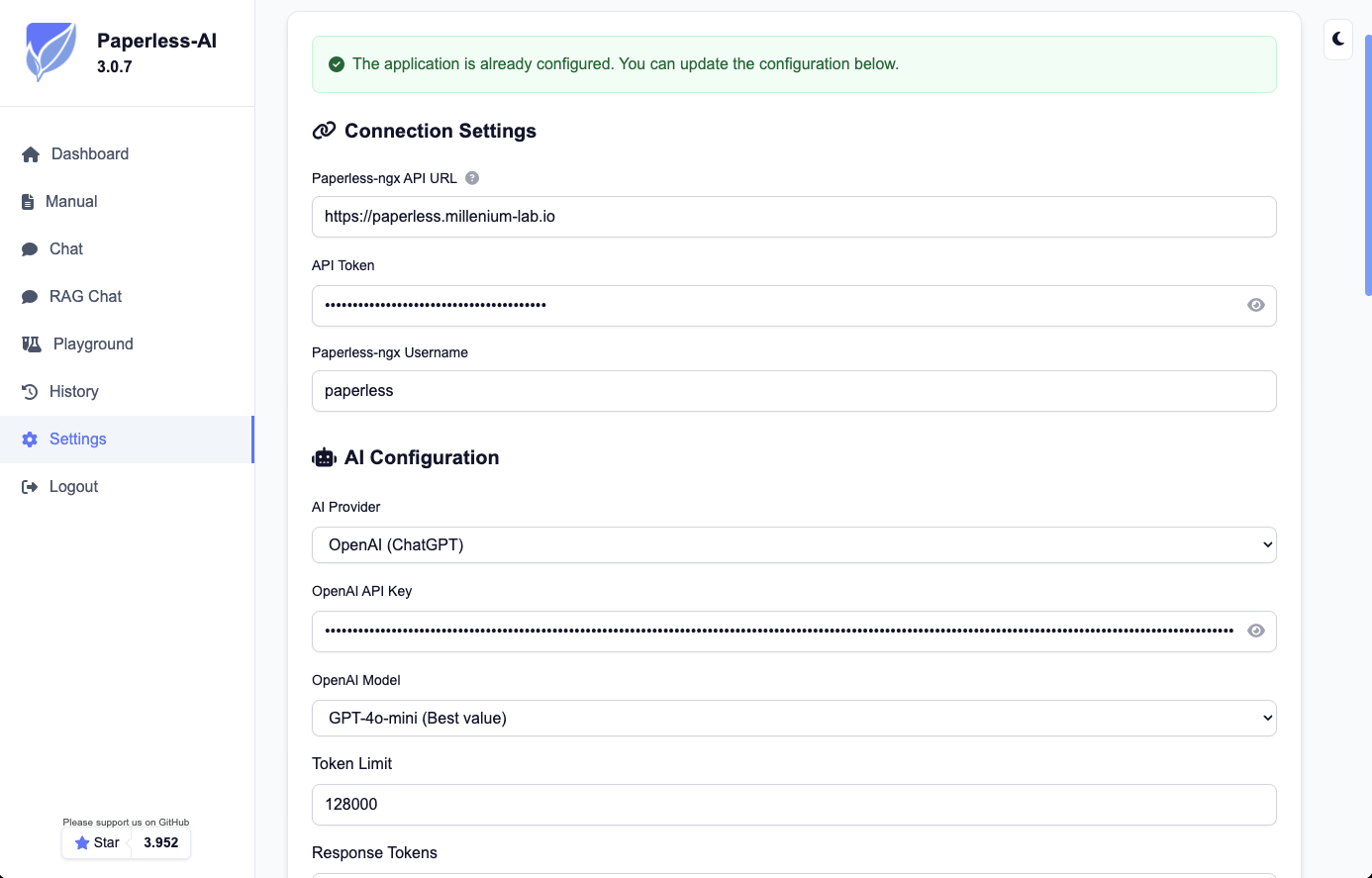
In the setup wizard:
- Paperless URL: Enter the HTTPS URL of your Paperless-NGX installation
Example:https://paperless.your-domain.com - Username: Your Paperless-NGX username
- API Token: Paste the previously copied API token
3. Configure AI model
Choose your preferred AI model:
Option 1: OpenAI
- Model:
gpt-4o-mini(cost-effective and efficient) - API Key: Enter your OpenAI API key
Option 2: Other supported providers
- DeepSeek, OpenRouter, Perplexity, Together.ai and many more
- Local models with Ollama for maximum privacy
Privacy tip: For sensitive documents, we recommend using local AI models. The AI Cube provides the language model inside your own network, so documents do not leave the building (from €7,990 excl. VAT one-time plus AI Cube Care from €349.90 excl. VAT per month); hosted, the same works on a Managed GPU Server from €699 excl. VAT per month.
4. Enable features
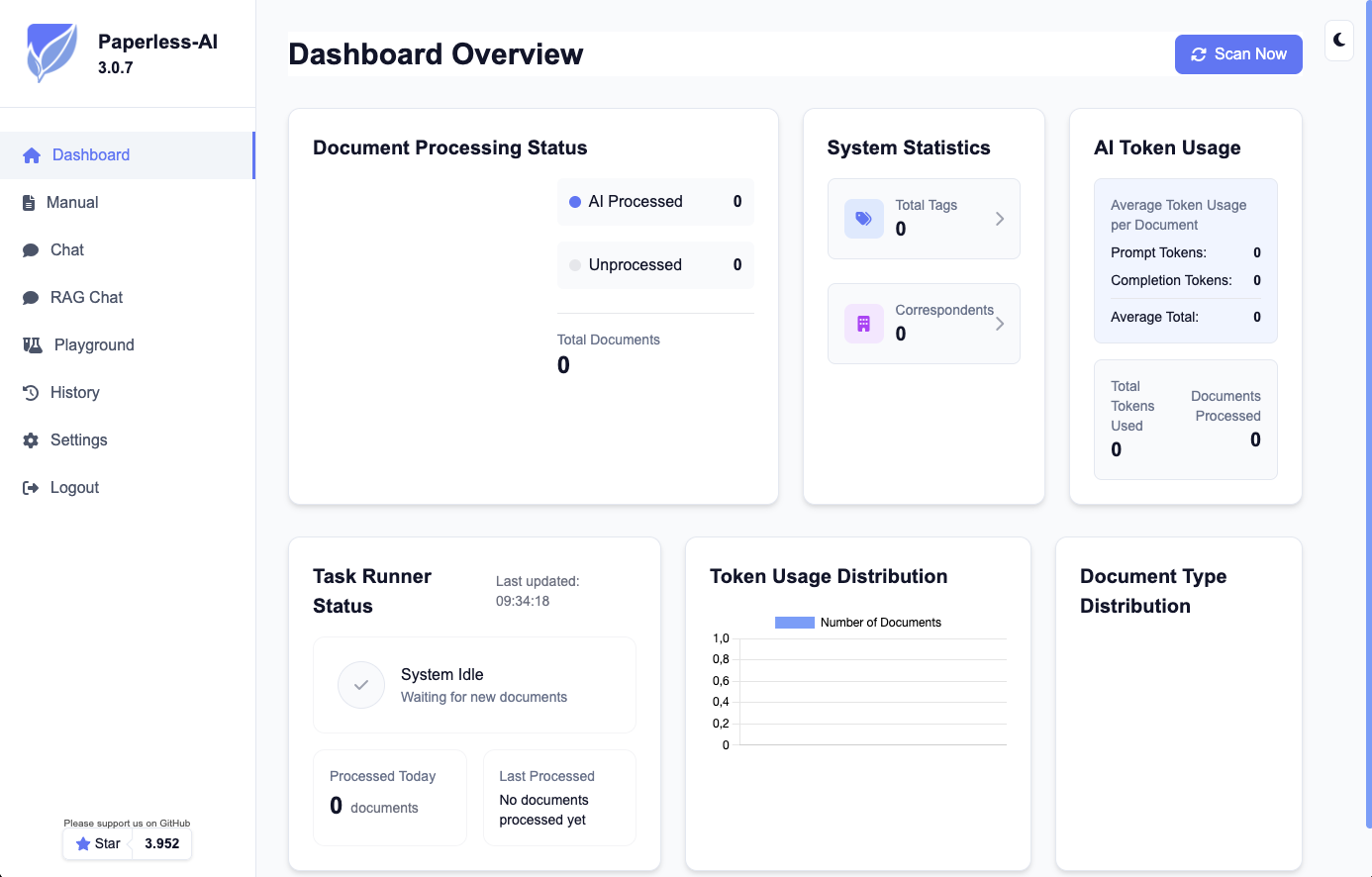
After successful setup, you'll reach the dashboard. Enable the desired features:
- Title Generation: Automatic title assignment based on document content
- Tag Assignment: Intelligent tag assignment
- Document Type Classification: Automatic document type detection
- Correspondent Detection: Detection of senders/correspondents
Restart container (important!)
After initial configuration, the container must be restarted once to build the RAG index:
cd /opt/paperless/paperless-ai
sudo docker compose restart
Usage
Automatic Processing
As soon as new documents arrive in Paperless-NGX, they are automatically analyzed by Paperless-AI and enriched with metadata.
AI Chat for Documents
The chat is part of Paperless-AI's own web interface, not of Paperless-NGX:
- Open
https://paperless-ai.your-domain.comand log in - Switch to the chat section
- Ask questions about your documents; answers are based on the RAG index
A chat directly inside the Paperless-ngx interface is part of the native AI integration from version 3.0.0 onwards, see Paperless-ngx AI setup.
Manual Processing
For sensitive documents, you can manually select documents for processing at https://paperless-ai.your-domain.com/manual.
Operation Tips
1. Define rules
You can create rules to control which documents are processed:
- Process only specific tags
- Exclude documents with sensitive information
- Automatic actions for certain document types
2. Optimize performance
- Use
gpt-4o-minifor good value - For many documents: Enable batch processing in settings
- Local models: At least 8GB RAM for optimal performance
3. Monitoring
# View logs
sudo docker compose logs -f

# Check container status
sudo docker ps
Troubleshooting
Connection to Paperless-NGX fails
- Check if the URL is correct (with https://)
- Ensure the API token is valid
- Check firewall rules
AI model not responding
- Check API key and credit
- Check logs:
sudo docker compose logs -f
Container won't start
# Check permissions
sudo chown -R 1000:1000 /opt/paperless/paperless-ai

# Restart container
sudo docker compose down
sudo docker compose up -d
Conclusion
With Paperless-AI, you transform your Paperless-NGX installation into an intelligent document management system. AI-powered analysis and categorization saves time and makes your documents even more discoverable through semantic search.
Want to use Paperless-AI professionally in your company? We support you with installation, configuration, and operations - including local AI models on dedicated servers.
🚀 Local AI Inference with AI Cube
For maximum data sovereignty and performance, we recommend AI Cube - a fully preconfigured platform for local LLM inference:
A fit for document AI and RAG setups:
- ✅ No cloud dependency - the documents stay inside your network
- ✅ Pre-installed software - Ollama, vLLM and, on request, Open WebUI already configured
- ✅ Plug & play - connect, switch on, get started
- ✅ Configured and commissioned in Germany - support and maintenance from a single source
The variants:
- AI Cube - NVIDIA GB10, 128 GB unified memory, €7,990 excl. VAT one-time including setup, briefing and shipping; operations optionally via AI Cube Care from €349.90 excl. VAT per month; the first twelve months run with the device, after that Care is cancellable monthly
- AI Cube Custom - free choice of components for larger models or many concurrent users
Next step
Have your open-source software managed?
Over 52 managed applications - from Paperless to Nextcloud to n8n. You use it, we run it: updates, security and availability from one source, hosted in German/EU data centers.
Read next: Installing Paperless-NGX · Running n8n in production · Setting up Twenty CRM























